






Digital literacy and online learning skills have become essential for education, employment and business success in Kenya. As schools, universities, businesses and government services increasingly adopt digital technology, Kenyans who understand how to use online platforms can access more learning opportunities, improve their employability and develop skills for the modern workplace.
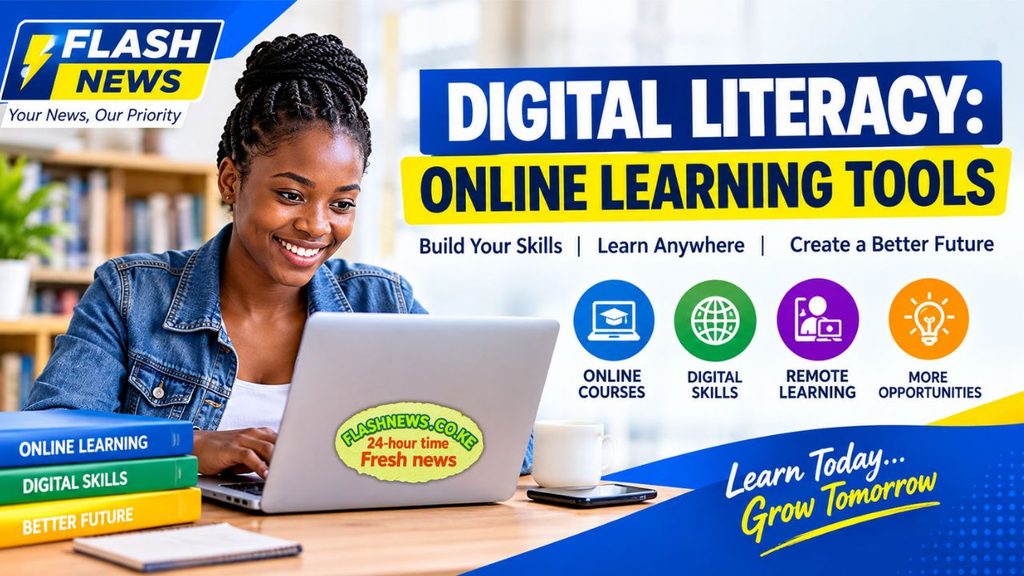
Whether you are a university student, a recent graduate looking for a job, a professional seeking career advancement or an entrepreneur hoping to reach more customers, digital literacy can help you achieve your goals.
The good news is that you do not necessarily need an expensive computer or advanced technical knowledge to get started. Many digital skills can be learned using a smartphone, an internet connection and free online educational resources.
This guide explains what digital literacy means, why it matters in Kenya, the most important online learning skills to develop, where to study online and how to use your new knowledge to improve your career prospects.
What Is Digital Literacy?
Digital literacy is the ability to use digital devices, online platforms and digital information effectively, safely and responsibly.
It involves more than knowing how to operate a smartphone or browse social media. A digitally literate person can search for reliable information, communicate professionally, use productivity applications, protect personal information and complete tasks using digital tools.
For example, a student may need digital literacy to download lecture notes, submit assignments through a university portal and participate in an online examination. A job seeker may need to prepare a CV, send an application by email and attend an online interview. A small business owner may use social media to advertise products and mobile payment services to receive customer payments.
Digital literacy therefore combines technical knowledge, communication, critical thinking and online safety.
Why Digital Literacy Matters in Kenya
1. It improves access to education
Online learning allows students to access educational materials beyond the traditional classroom. Universities, colleges, training institutions and online education providers use digital platforms to distribute notes, deliver lessons, conduct assessments and communicate with learners.
Students who understand how to use these platforms can find courses, download learning resources, submit assignments and communicate with instructors more confidently.
Digital learning can also help people who need flexible study arrangements because of work, family responsibilities or geographical distance.
However, learners should check course accreditation, fees, internet requirements and examination arrangements before enrolling in an online programme.
2. It helps job seekers prepare for employment
Many employers expect applicants to have basic computer and online communication skills. Depending on the role, these may include using email, preparing documents, managing spreadsheets, attending video interviews and sharing files securely.
For example, someone applying for an administrative position may need Microsoft Word and Excel skills. A digital marketing applicant may need knowledge of social media platforms, search engine optimisation and content creation.
People interested in remote work may also need to understand task management tools, online meeting etiquette and professional communication across different time zones.
Developing these skills can improve a candidate’s readiness for suitable opportunities, although employment is never guaranteed.
3. It creates opportunities for entrepreneurs
Small businesses can use digital tools to promote products, communicate with customers and manage everyday operations.
A clothes seller can display products on social media, a freelance designer can share a digital portfolio with potential clients, and a local shop can use spreadsheets to track expenses and sales.
Digital marketing can also help entrepreneurs understand what customers search for online and how to reach specific audiences.
For businesses in Kenya, learning to use digital tools effectively can reduce some administrative burdens and support growth without necessarily requiring a large initial investment.
4. It supports lifelong learning
Technology and workplace requirements continue to change. Learning new skills can help workers adapt to changing responsibilities and explore different career paths.
A person working in administration, for example, may decide to learn data analysis. A journalist may develop video editing and search engine optimisation skills, while an entrepreneur may learn bookkeeping or online advertising.
Online learning makes it possible to study at different stages of life rather than relying exclusively on formal education.
Essential Digital Tools Every Online Learner Should Know
Learning to use a few basic tools can make online education more manageable.
Email and professional communication
Email is widely used for applications, course registration, communication with lecturers and workplace correspondence.
Popular services include Gmail and Microsoft Outlook.
Learners should know how to create a clear subject line, write a professional message, attach documents, identify suspicious emails and organise important correspondence.
When sending an application, use a professional email address and check that the correct documents are attached before clicking send.
Video conferencing platforms
Tools such as Zoom and Microsoft Teams allow people to attend online classes, participate in meetings and conduct interviews.
Useful skills include joining a meeting using a link, muting the microphone when not speaking, sharing a screen, using chat responsibly and testing the internet connection before a session.
A quiet environment and clear communication can also make virtual participation more effective.
Document creation and file sharing
Google Docs, Microsoft Word, Google Drive and Microsoft OneDrive help users create documents, store files and collaborate with other people.
Students can use these tools to prepare assignments and share projects. Job seekers can prepare CVs and cover letters, while businesses can create invoices, reports and other records.
Learners should understand file formats such as PDF and DOCX and know how to organise files into clearly named folders.
Learning Management Systems
A Learning Management System (LMS) is a digital platform used to manage educational content and activities.
Common examples include Moodle and Blackboard. Some institutions use their own learning portals.
Depending on the institution, learners may use an LMS to access lecture notes, participate in discussions, submit assignments, view feedback and monitor course progress.
Before an assignment deadline, check the correct submission location, accepted file format and any instructions provided by the instructor.
10 Digital Skills You Can Learn Online in Kenya
The following skills can help learners build practical knowledge for education, employment and entrepreneurship.
1. Digital communication
Professional communication is useful in almost every industry.
You can learn to write emails, prepare presentations, participate in virtual meetings and communicate effectively with customers or colleagues.
Practise writing short, clear emails and preparing presentations that explain ideas logically. These skills can support applications for administrative, customer service, communication and remote support roles.
2. Digital marketing and SEO
Digital marketing involves promoting products, services or information through online channels.
Important areas include social media marketing, search engine optimisation (SEO), content planning, email marketing and performance measurement.
A beginner can start by learning how to identify an audience, create useful content, write clear headlines and understand basic website analytics.
Resources include:
These resources can help learners understand digital marketing and website visibility. Completing a course does not guarantee employment or business income, but the knowledge can be applied to practical projects.
3. Coding and web development
Coding involves writing instructions that computers can execute. Web development focuses on building and maintaining websites and web applications.
Beginners can start with HTML and CSS before moving to JavaScript or Python, depending on their interests.
Useful learning resources include:
Start with small projects, such as a personal profile page or a simple website for a local business. Practical projects help demonstrate what you can do when applying for opportunities.
4. Graphic design
Graphic design involves creating visual materials for communication and marketing.
Skills include designing posters, social media graphics, presentations, logos and promotional materials.
Canva is a convenient starting point for beginners, while Adobe’s creative applications offer more advanced options.
You can practise by designing a sample event poster, business advertisement or social media campaign. Keep your strongest work in a portfolio that potential clients or employers can review.
5. Cybersecurity awareness
Cybersecurity knowledge helps people protect devices, accounts and information against online threats.
Important skills include recognising phishing messages, creating strong passwords, using multi-factor authentication and avoiding suspicious downloads.
People who want to progress into cybersecurity careers can study networking, operating systems, security fundamentals and incident response.
Beginner resources include Cisco Networking Academy and Microsoft Learn.
Never assume that a message is genuine simply because it uses a familiar company logo. Verify requests for money, account access or personal information through official channels.
6. Financial literacy
Digital financial literacy combines basic money management with the safe use of digital financial services.
Learners can develop skills in budgeting, tracking expenses, comparing borrowing costs, understanding savings products and identifying financial scams.
Spreadsheets can help you prepare a monthly budget and monitor spending.
Before using a financial app or online investment platform, confirm that the provider is legitimate, understand the fees and avoid offers promising guaranteed profits.
7. Language learning
Learning another language can support communication, travel, education and some employment opportunities.
Online platforms provide lessons, vocabulary exercises, listening activities and pronunciation practice.
Resources such as Duolingo and BBC Learning English can support language learning.
For the best results, combine online lessons with regular reading, listening and speaking practice.
8. Project management
Project management involves planning activities, setting deadlines, allocating resources and monitoring progress.
Digital tools such as Trello, Asana and Microsoft Planner can help individuals and teams organise tasks.
Students can use project management tools to plan assignments, while entrepreneurs can track customer orders and business activities.
Start by creating a simple project plan with tasks, deadlines and progress updates.
9. Data analysis and spreadsheet skills
Data analysis helps people organise information, identify patterns and make decisions based on evidence.
Beginners should consider learning Microsoft Excel or Google Sheets before progressing to tools such as Power BI or Python.
Useful skills include sorting data, using formulas, creating charts and interpreting basic statistics.
These skills can support work in administration, research, finance, sales, logistics and many other fields.
10. AI tools and digital productivity
Artificial intelligence tools can help users brainstorm ideas, summarise information, draft documents and organise work.
However, learners must check the accuracy of AI-generated information and avoid sharing confidential personal or business data without understanding the platform’s privacy arrangements.
AI is most useful when combined with critical thinking, subject knowledge and human review.
Students should also follow their institutions’ rules on AI-assisted assignments and examinations.
Free and Affordable Online Learning Resources for Kenyans
You do not need to pay for every course to start developing digital skills. The following resources provide learning materials across several subjects.
| Platform | What you can learn |
|---|---|
| Khan Academy | Mathematics, science, computing and other academic subjects |
| Microsoft Learn | Microsoft technologies, cloud computing and technical skills |
| Cisco Networking Academy | Networking, cybersecurity and IT fundamentals |
| freeCodeCamp | Coding and web development |
| HubSpot Academy | Digital marketing, sales and customer service |
| Google Skillshop | Training related to selected Google products |
| Coursera | Courses across technology, business and other disciplines |
| YouTube | Tutorials and demonstrations across many subjects |
Course prices, certificates, eligibility and access conditions vary. Some platforms offer free learning materials while charging for selected certificates or programmes.
Before paying for a course, confirm the total cost, the organisation providing the certificate and whether the qualification is recognised by the employer or institution you have in mind.
Digital Literacy Training Opportunities in Kenya
Kenyans can explore digital skills through educational institutions, community initiatives, workplace programmes and online platforms.
Universities and colleges
Some universities and colleges provide computer training, digital learning facilities and programmes in information technology, communication and business.
Students should contact their institution to find out whether computer laboratories, digital literacy workshops or online learning support are available.
Government and public-sector initiatives
Government agencies and public institutions periodically announce digital skills and ICT training initiatives. Availability, eligibility and application dates depend on the particular programme.
Check official agency websites and published notices before applying. Do not assume that an old announcement is still open or that every applicant qualifies.
Workplace training
Some employers provide training in productivity applications, data protection, online collaboration and industry-specific software.
Employees can ask their supervisors or human resources departments whether training resources are available.
Self-paced online courses
Self-paced courses are useful for people who need flexibility around work, family responsibilities or other commitments.
You can study in short sessions using a smartphone or computer, provided you have access to the necessary materials and a reliable way to complete practical exercises.
How to Learn Digital Skills Using a Smartphone
A computer can be helpful for advanced tasks, but many beginners can start learning with a smartphone.
First, create a professional email account and learn to send messages and attachments. Next, practise using a document application to prepare a short report or CV.
You can then explore online courses, watch tutorials, create simple designs and practise using spreadsheets on mobile applications.
Download course materials for offline use where the platform permits it, especially if internet access is expensive or unreliable.
For tasks involving coding, complex spreadsheets, professional video editing or some online job platforms, a computer may eventually be more practical. Check the technical requirements before committing to a course or job.
A Practical 30-Day Digital Skills Learning Plan
A structured learning plan can help you build confidence without trying to learn everything at once.
Week 1: Basic digital skills
Learn email, online searches, file management, document creation and safe browsing. Practise preparing and sending a professional email with a correctly attached document.
Week 2: Productivity and communication
Learn basic word processing, spreadsheets, video conferencing and file sharing. Prepare a simple budget in a spreadsheet and practise joining an online meeting.
Week 3: Choose one career skill
Select a skill relevant to your goals, such as digital marketing, graphic design, coding, data analysis or cybersecurity. Complete beginner lessons and practise what you learn.
Week 4: Build a small portfolio project
Apply your knowledge to a practical task. You might design a poster, build a basic webpage, prepare a spreadsheet report or create a digital marketing plan for a sample business.
At the end of the month, review what you can do independently and identify the next skill to develop.
The objective is not to master every digital tool in 30 days. It is to build a strong foundation and establish a consistent learning habit.
How to Avoid Online Learning Scams
As interest in online courses and remote work grows, learners should be cautious about misleading offers.
Watch out for platforms that promise guaranteed jobs or unusually high earnings after a short course. Be wary of recruiters who demand unexplained registration fees, request passwords or ask for sensitive banking details through unofficial channels.
Before enrolling, research the provider, read the course terms and verify whether the certificate has value for your intended career.
When applying for remote work, use official recruitment websites where possible. Never pay an unknown person simply because they claim to guarantee employment.
Frequently Asked Questions About Digital Literacy in Kenya
What is digital literacy?
Digital literacy is the ability to use digital devices, online platforms and digital information effectively, safely and responsibly.
Can I learn digital skills for free in Kenya?
Yes. Platforms such as Khan Academy, freeCodeCamp, Microsoft Learn and Cisco Networking Academy provide free learning resources or courses. Check individual course conditions because some certificates and advanced programmes may require payment.
Which digital skills are useful for job seekers?
Useful skills include professional email communication, word processing, spreadsheets, online collaboration, digital marketing, data analysis and cybersecurity awareness. The best combination depends on the job.
Can I learn digital skills using a smartphone?
Yes. Many introductory lessons and productivity tasks can be completed on a smartphone. Some advanced technical tasks may require a computer.
How long does it take to learn a digital skill?
The time required depends on the skill, your starting level and the time you practise. Basic email and document skills may develop relatively quickly, while coding, data analysis and cybersecurity usually require more sustained study.
Do online certificates guarantee a job?
No. Certificates can demonstrate learning, but employers may also consider practical ability, experience, communication skills and the requirements of the position.
Conclusion
Digital literacy and online learning skills are increasingly important for students, job seekers, professionals and entrepreneurs in Kenya. From email communication and online education to digital marketing, coding, data analysis and cybersecurity, these skills can help people participate more effectively in a technology-driven economy.
You do not need to learn everything at once or spend a lot of money to begin. Start with essential digital tools, select one skill that supports your personal or professional goals, and practise consistently.
Most importantly, apply what you learn to real tasks. A completed project, a well-organised portfolio and the ability to demonstrate practical skills can help you show others what you are capable of doing.
Start today: Choose one free online course, set aside a regular study period and work towards a practical goal you can demonstrate.